





%20--%3e%3csvg%20version='1.1'%20id='Capa_1'%20xmlns='http://www.w3.org/2000/svg'%20xmlns:xlink='http://www.w3.org/1999/xlink'%20x='0px'%20y='0px'%20viewBox='0%200%20512%20512'%20style='enable-background:new%200%200%20512%20512;'%20xml:space='preserve'%3e%3cpath%20style='fill:%23F2F2F2;'%20d='M512,256c0,36.76-7.753,71.711-21.703,103.309c-2.1,4.754-4.326,9.415-6.708,14.002v0.01%20c-3.218,6.249-6.698,12.34-10.418,18.275c-6.081,9.738-12.821,19.048-20.146,27.847c-5.13,6.196-10.564,12.142-16.259,17.826%20c-8.119,8.098-16.771,15.642-25.913,22.601c-17.136,13.03-35.965,23.96-56.101,32.381c-10.449,4.378-21.243,8.077-32.34,11.045%20h-0.01c-7.043,1.891-14.2,3.49-21.462,4.765C286.354,510.652,271.329,512,256,512c-1.567,0-3.135-0.01-4.702-0.052%20c-11.901-0.209-23.594-1.233-35.035-3.02c-16.426-2.55-32.34-6.677-47.574-12.204c-28.411-10.303-54.481-25.496-77.187-44.565%20c-27.606-23.176-50.249-52.067-66.1-84.846C9.122,333.657,0,295.894,0,256C0,114.615,114.615,0,256,0S512,114.615,512,256z'/%3e%3cg%3e%3cpath%20style='fill:%232D3A3E;'%20d='M445.388,424.657l-144.447,83.404c7.262-1.275,14.42-2.873,21.462-4.765h0.01%20c11.097-2.967,21.891-6.666,32.34-11.045l56.101-32.381c9.143-6.959,17.795-14.503,25.913-22.601%20c5.695-5.684,11.128-11.63,16.259-17.826C450.623,421.366,448.073,423.1,445.388,424.657z%20M452.002,123.476L296.155,33.499%20c-23.625-13.636-52.976-13.636-76.601,0L63.707,123.476c-23.625,13.636-38.306,39.058-38.306,66.341v177.497%20c15.851,32.778,38.494,61.67,66.1,84.846l77.187,44.565c15.235,5.528,31.148,9.655,47.574,12.204L70.311,424.657%20c-19.55-11.285-31.692-32.319-31.692-54.888V189.816c0-22.57,12.142-43.604,31.692-54.899l155.847-89.976%20c9.78-5.642,20.731-8.464,31.692-8.464c10.961,0,21.922,2.821,31.692,8.464l155.846,89.976%20c13.563,7.837,23.562,20.355,28.411,34.826c2.142,6.384,3.281,13.155,3.281,20.072v179.952c0,7.555-1.358,14.932-3.908,21.828%20c3.72-5.935,7.199-12.027,10.418-18.275v-0.01c2.382-4.587,4.608-9.247,6.708-14.002V189.816%20C490.297,162.534,475.627,137.112,452.002,123.476z'/%3e%3cpath%20style='fill:%232D3A3E;'%20d='M483.694,189.513v180.255c0,1.181-0.031,2.361-0.104,3.542v0.01%20c-3.218,6.249-6.698,12.34-10.418,18.275c-6.081,9.738-12.821,19.048-20.146,27.847c-5.13,6.196-10.564,12.142-16.259,17.826%20l-114.354,66.027h-0.01c-7.043,1.891-14.2,3.49-21.462,4.765C286.354,510.652,271.329,512,256,512c-1.567,0-3.135-0.01-4.702-0.052%20c-1.546-3.187-2.424-6.792-2.445-10.658V321.034c0-25.004,13.343-48.118,34.994-60.615l155.846-89.976%20c2.8-1.62,5.684-3.02,8.62-4.221c8.986-3.647,18.557-1.797,25.485,3.521C479.692,174.247,483.662,181.258,483.694,189.513z'/%3e%3c/g%3e%3cpath%20style='fill:%23FFFFFF;'%20d='M347.577,384.712c0-18.174-15.971-18.174-23.682-18.174s-12.666-2.203-12.666-10.464%20c0-8.261,9.913-19.826,27.536-17.073l7.16-18.174c0,0-8.339-1.29-18.174,1.131v-16.551l-14.318,8.262v14.834%20c-9.346,6.829-17.073,19.287-17.073,41.89c0,9.913,4.957,19.275,21.478,19.275c16.522,0,17.073,14.87,8.261,23.682%20c-8.812,8.812-28.639,8.812-28.639,8.812l-2.753,19.826c0,0,8.518,0.018,18.725-3.255v17.023l14.318-8.261v-15.574%20C339.479,424.015,349.403,409.905,347.577,384.712z'/%3e%3cpolygon%20style='fill:%2331B644;'%20points='413.114,409.457%20369.607,437.544%20369.607,422.162%20413.114,394.075%20'/%3e%3cg%3e%3c/g%3e%3cg%3e%3c/g%3e%3cg%3e%3c/g%3e%3cg%3e%3c/g%3e%3cg%3e%3c/g%3e%3cg%3e%3c/g%3e%3cg%3e%3c/g%3e%3cg%3e%3c/g%3e%3cg%3e%3c/g%3e%3cg%3e%3c/g%3e%3cg%3e%3c/g%3e%3cg%3e%3c/g%3e%3cg%3e%3c/g%3e%3cg%3e%3c/g%3e%3cg%3e%3c/g%3e%3c/svg%3e)


'%3e%3cpath%20d='M7.74%203.843L3.47%208.33v4.013l4.262-4.27%204.24-4.232z'%20fill='url(%23A)'/%3e%3cpath%20d='M3.47%2012.344l4.262-4.27%204.24%204.27z'%20fill='url(%23D)'/%3e%3cpath%20d='M3.47%203.843H7.74L3.47%208.33z'%20fill='url(%23C)'/%3e%3c/g%3e%3c/svg%3e)
%20--%3e%3csvg%20version='1.1'%20id='Layer_1'%20xmlns='http://www.w3.org/2000/svg'%20xmlns:xlink='http://www.w3.org/1999/xlink'%20x='0px'%20y='0px'%20viewBox='0%200%2045.4%2045.4'%20style='enable-background:new%200%200%2045.4%2045.4;'%20xml:space='preserve'%3e%3cstyle%20type='text/css'%3e%20.st0{fill:%236DB344;}%20.st1{fill:%23FFFFFF;}%20%3c/style%3e%3cg%3e%3cpath%20class='st0'%20d='M39.2,4.7C38.6,6,37.9,7.3,37,8.5C29.3,0.4,16.5,0.2,8.5,8S0.2,28.5,8,36.5c0.3,0.3,0.5,0.5,0.8,0.8L9.5,38%20c8.5,7.2,21.3,6.1,28.4-2.4c2.8-3.3,4.4-7.3,4.7-11.6C43.3,18.9,41.7,12.4,39.2,4.7z%20M11.7,37.5c-0.6,0.8-1.7,0.8-2.4,0.3%20c-0.8-0.6-0.8-1.7-0.3-2.4c0.6-0.8,1.7-0.8,2.4-0.3C12.2,35.7,12.3,36.8,11.7,37.5z%20M39.1,31.5c-5,6.6-15.6,4.4-22.4,4.7%20c0,0-1.2,0.1-2.4,0.3c0,0,0.5-0.2,1-0.4c4.8-1.7,7-2,10-3.5c5.5-2.8,10.9-8.9,12-15.3c-2.1,6.1-8.4,11.3-14.2,13.5%20c-4,1.5-11.1,2.9-11.1,2.9l-0.3-0.2c-4.8-2.4-5-12.9,3.8-16.3c3.9-1.5,7.5-0.7,11.8-1.7c4.5-1,9.6-4.4,11.7-8.8%20C41.3,13.8,44.1,24.7,39.1,31.5z'/%3e%3cpath%20class='st0'%20d='M38,35.6c2.8-3.3,4.4-7.3,4.7-11.6'/%3e%3cpath%20class='st1'%20d='M39.1,31.5c-5,6.6-15.6,4.4-22.4,4.7c0,0-1.2,0.1-2.4,0.3c0,0,0.5-0.2,1-0.4c4.8-1.7,7-2,10-3.5%20c5.5-2.8,10.9-8.9,12-15.3c-2.1,6.1-8.4,11.3-14.2,13.5c-4,1.5-11.1,2.9-11.1,2.9l-0.3-0.2c-4.8-2.4-5-12.9,3.8-16.3%20c3.9-1.5,7.5-0.7,11.8-1.7c4.5-1,9.6-4.4,11.7-8.8C41.3,13.8,44.1,24.7,39.1,31.5z'/%3e%3cpath%20class='st1'%20d='M11.7,37.5c-0.6,0.8-1.7,0.8-2.4,0.3c-0.8-0.6-0.8-1.7-0.3-2.4c0.6-0.8,1.7-0.8,2.4-0.3%20C12.2,35.7,12.3,36.8,11.7,37.5z'/%3e%3c/g%3e%3c/svg%3e)
 GitHub
Introduction
Splitwise is a free tool friends and roommates use to track shared bills and expenses. This project pulls that financial data and processes it with a Big Data stack in two modes: a real-time streaming pipeline and a batch analytics job. It is built with Kafka, Spark, Spring Boot, Cassandra, and Docker Compose, and is meant as an end-to-end demonstration of wiring these tools together into a working pipeline.
Architecture
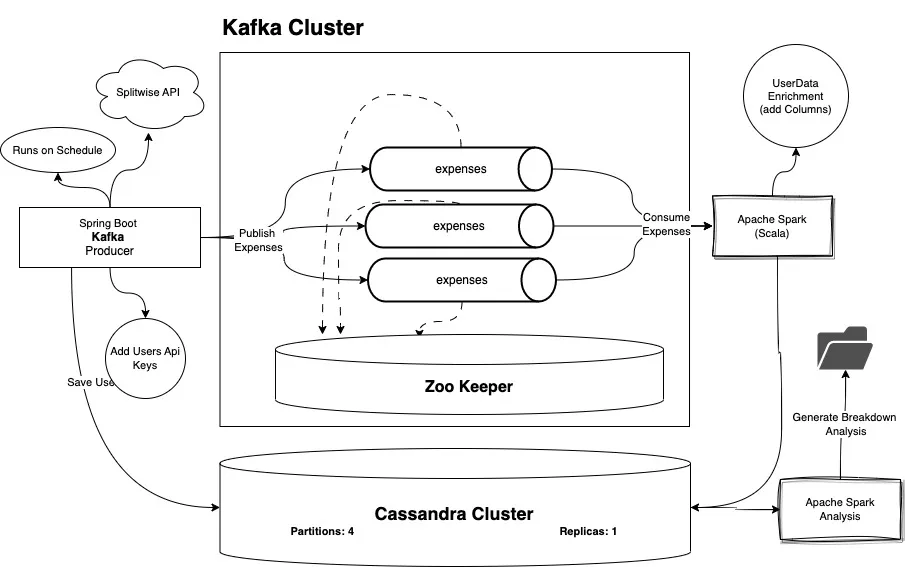
Technologies Used
- Kafka
- Spark
- Spring Boot
- Cassandra
- Docker
- Docker Compose
- Gradle
- SBT
- Scala
- Kotlin
- CQL
How to run the project
Prerequisites
- Docker
Steps
Clone the project, change into its directory, and build the images:
docker build -t jobscheduler ./scheduler
docker build -t spark-analysis ./sparkanalysis
docker build -t kafka-streaming-app ./kafka-streaming-app
Start everything with Docker Compose:
docker-compose up -dDocker Desktop should look like this:
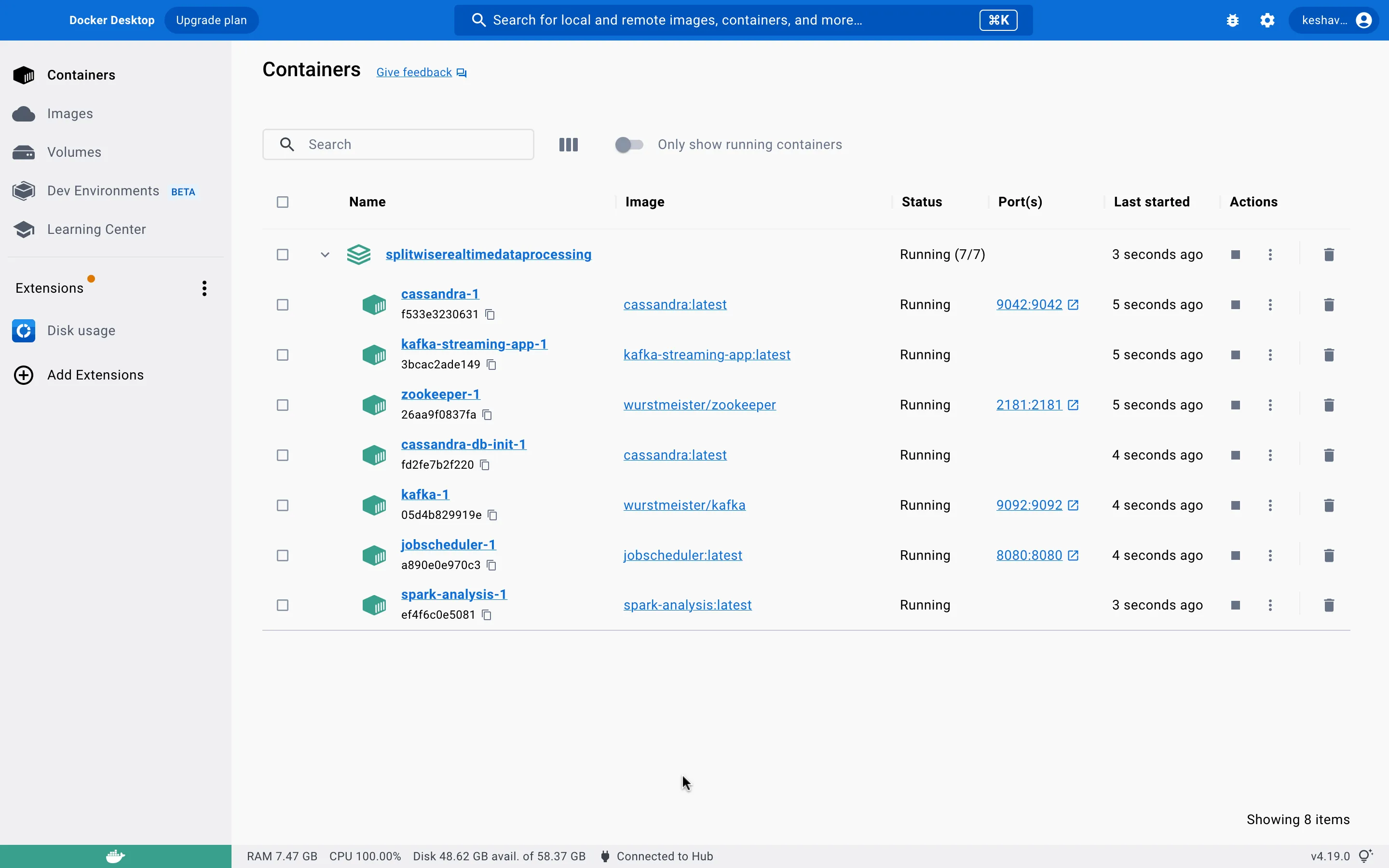
Give Cassandra and Kafka about 60 seconds to start. The cassandra-init service is expected to stop after ~65 seconds (depending on machine speed) once it has initialized the database — if it stops before the database is ready, run it again and wait another 60 seconds. This is only needed the first time.
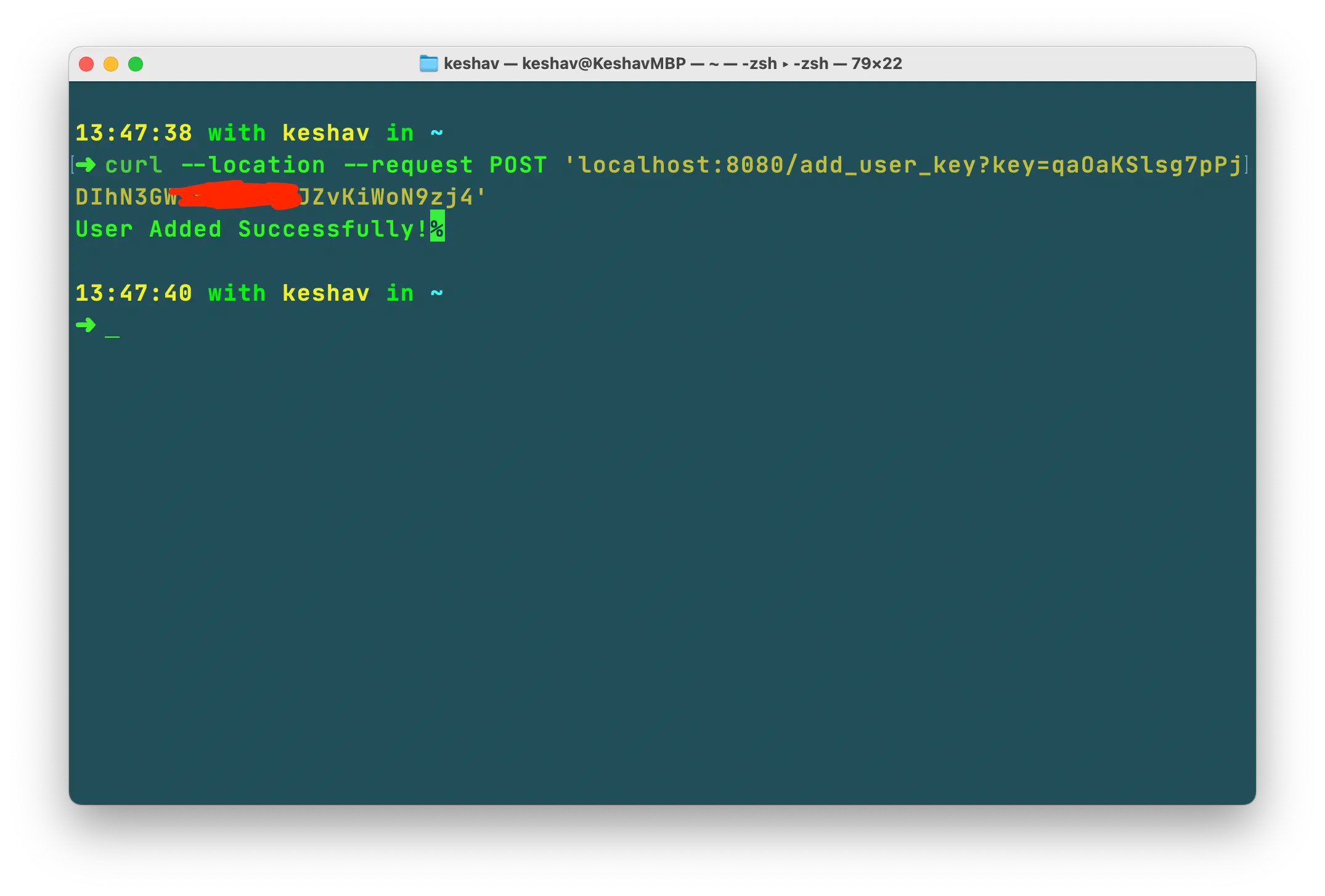
Once Cassandra is up and initialized, start the jobscheduler service, then register a Splitwise user:
curl --location --request POST 'localhost:8080/add_user_key?key=<splitwise-api-key>' \
--data ''
A Splitwise API key can be generated here.
Start the kafka-streaming-app service and trigger the scheduler:
curl --location --request GET 'localhost:8080/job/splitwise'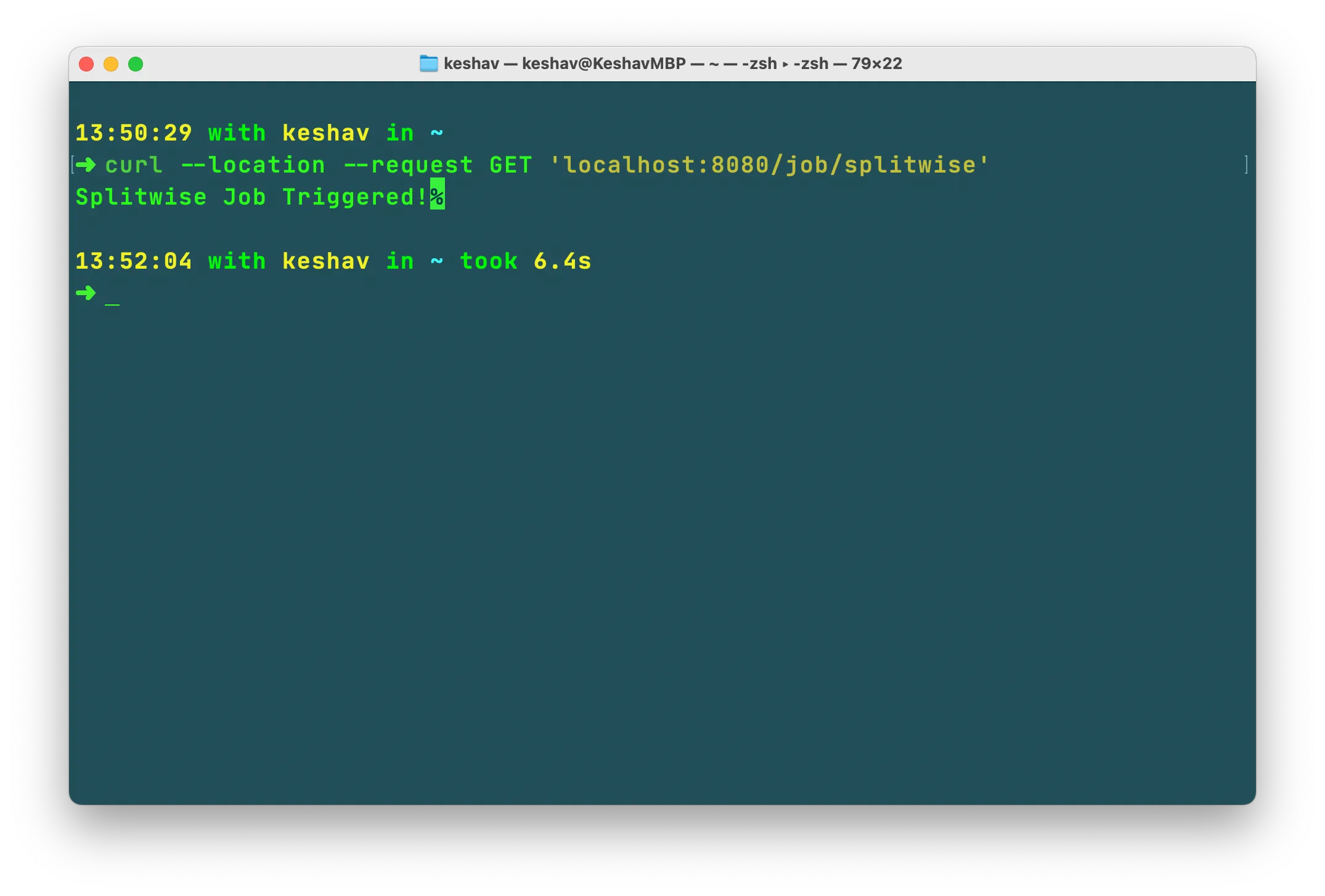
This triggers the scheduler to fetch data from Splitwise and push it to Kafka. The kafka-streaming-app service consumes from Kafka, processes the data, and writes it to Cassandra.
Finally, start the sparkanalysis service to generate reports into the output folder. It stops automatically once the reports are written. The generated CSVs can be opened directly in Excel or fed into a visualization tool such as Tableau or Power BI.